The Greeter
Available in the chat widget on every page. Answers questions about CyberNet, walks visitors through products, suggests the right starting point for their conversation.

Five workspaces. One AI. Zero black holes.
Most carrier portals are ticket queues with a logo on top. Mission Control is a different category of platform entirely, a live operational workspace where NikolAI™ (the AI you’ve already met on this site) coordinates your builds, manages your installed fleet, plans your next move, and explains your bill. Same NikolAI™ from the homepage chat. Same NikolAI™ from the configurator. Now permanently in your operations.
Each workspace replaces the most broken part of how customers usually deal with their carrier. NikolAI™ is present in all five, coordinating, recommending, monitoring, explaining, triaging. Same character, multiple contextual roles, one continuous presence.
Watch every build from survey to splice to live, in three parallel lanes, with NikolAI™ surfacing blockers and the team behind each one named.
Explore OrdersA capability store organized by outcome. New customers design with NikolAI™. Existing customers get upgrades surfaced before they hit capacity.
Explore MarketplaceA live situation room for every circuit, phone, firewall, and managed device, with NikolAI™ monitoring 24/7 and field dispatches tracked like a rideshare.
Explore Ops CenterFinancial transparency with NikolAI™ explaining every variance, auto-crediting SLA breaches, and flagging surprises before you have to dig.
Explore BillingEvery open ticket, every troubleshooting step, every resolution in one place, with NikolAI™ triaging issues before they escalate and summarizing history for the agent before they pick up.
Explore HelpdeskOne AI character across every workspace, coordinating orders, recommending upgrades, monitoring the fleet, explaining the bill, triaging tickets. Same voice. Multiple contextual roles. Continuous presence.
Meet NikolAI™Most carrier portals show a single “Status: In Progress” bar for an entire order. If one piece slips, a permit, a splice, a port, the whole thing reads “stalled” and the customer calls in a panic. Orders runs every build as three independent lanes: Connectivity, Voice, and Infrastructure. Each progresses on its own timeline. Each shows where it is, what’s blocking it, and who’s responsible. NikolAI™ watches all three and tells you why something stalled before you have to ask.
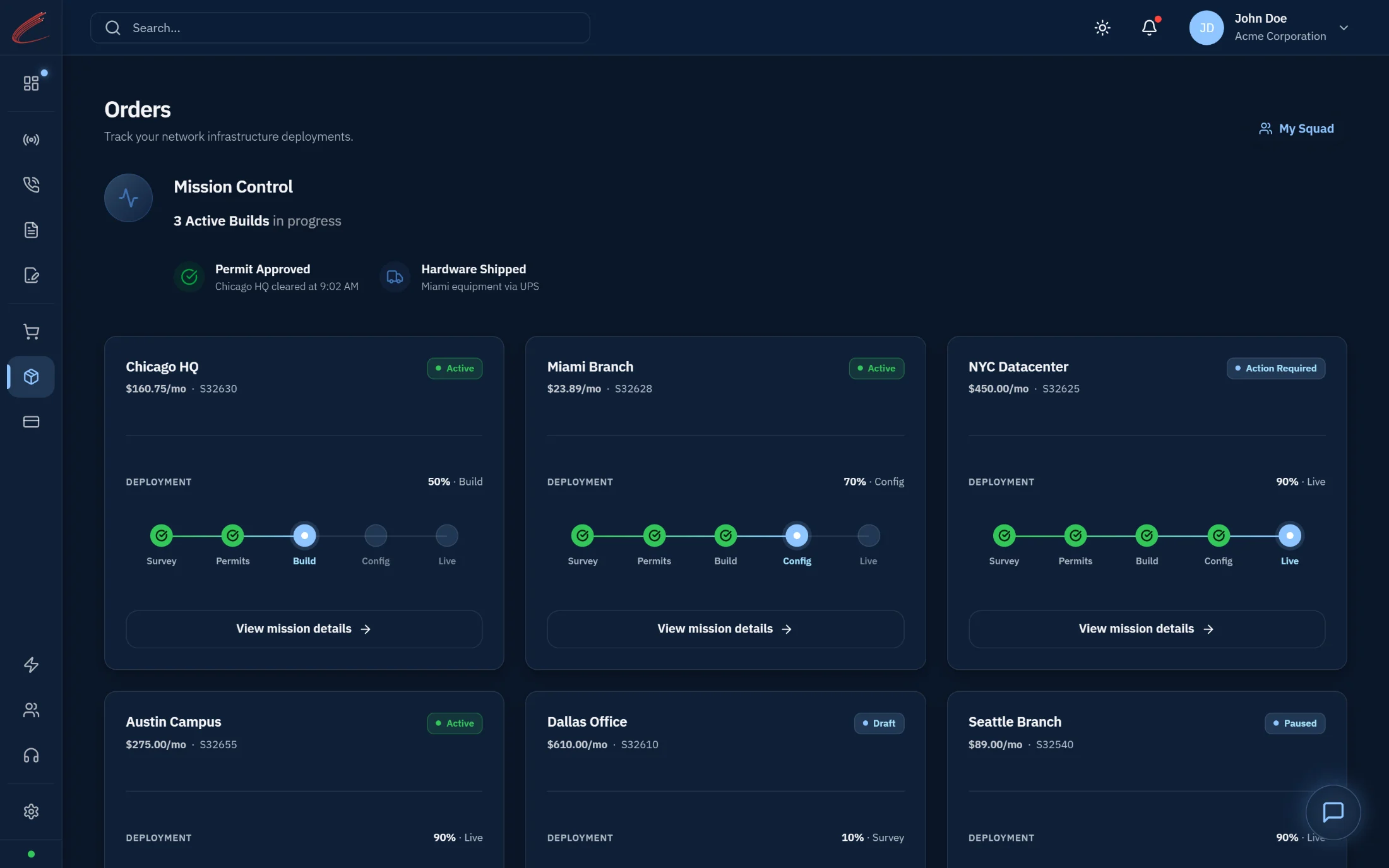
Connectivity, Voice, and Infrastructure each get their own status lane. A delay in one never freezes the others.
Every site is its own card with a satellite image of the building, a 5-phase progress tracker (Survey → Permits → Construction → Config → Live), and the team assigned.
Real humans assigned to every order, Quarterback (Project Manager), Engineer, Executive. With direct contact buttons. No more “Faceless Corporation.”
NikolAI™ keeps watch across every lane. When something blocks, he tells you why. When something moves, you see it within seconds.
Traditional carrier catalogs read like an electronics datasheet, port counts, protocol acronyms, tariff codes. Marketplace replaces all of that with outcomes. A new customer browsing for the first time sees a capability store: “The Gigabit Highway,” “Global Cloud Voice,” “The Secure Workspace.” Existing customers see something different, an upgrade engine that knows what they already have, watches how they’re using it, and surfaces the next move before they have to ask. NikolAI™ drives both.
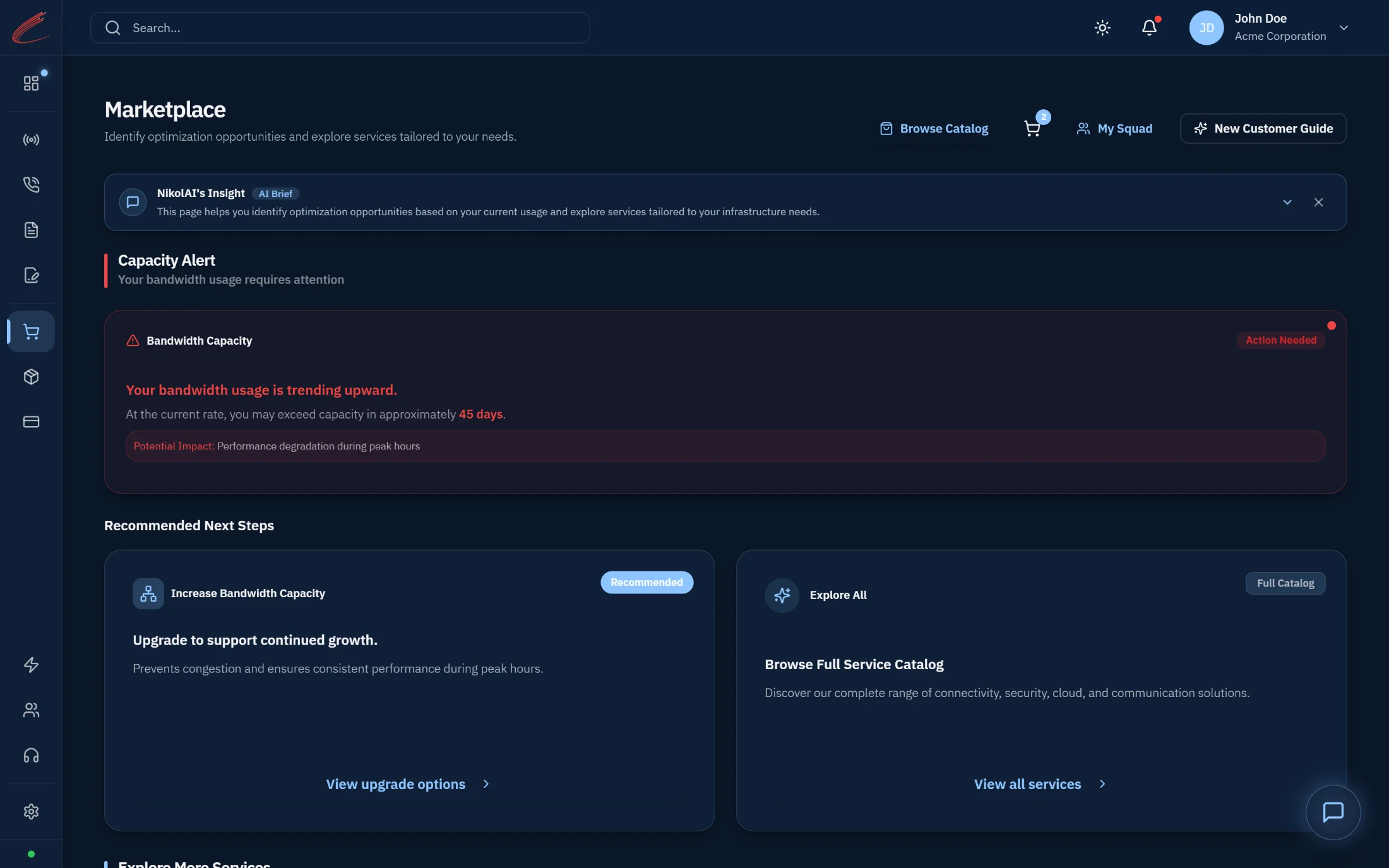
The Solution Builder for new customers designing their first stack. The Upgrade Engine for existing customers, driven by live network intelligence.
Every product gets a human name and a plain-English hook. “Stop sharing bandwidth with the coffee shop next door.” Not “Dedicated Internet Access, 1 Gbps.”
When your circuit hits 90% utilization three days running, NikolAI™ surfaces a Speed Boost quote with one click to upgrade.
Marketplace is the only carrier storefront that sells your next year, not just your next router.
Most carriers give you a list of tickets. Ops Center gives you a live situation map. Every site is a pin on a U.S. map, green when healthy, red when there’s an outage, blue when a technician is on the way. Click a pin and you see the actual installed inventory at that address: every circuit, every SIP trunk, every firewall, every managed device. Click an active outage and you see the dispatch truck moving in real time, like a rideshare. NikolAI™ is the one watching it all, and opening tickets when something pattern-matches an early failure signal, before you call.
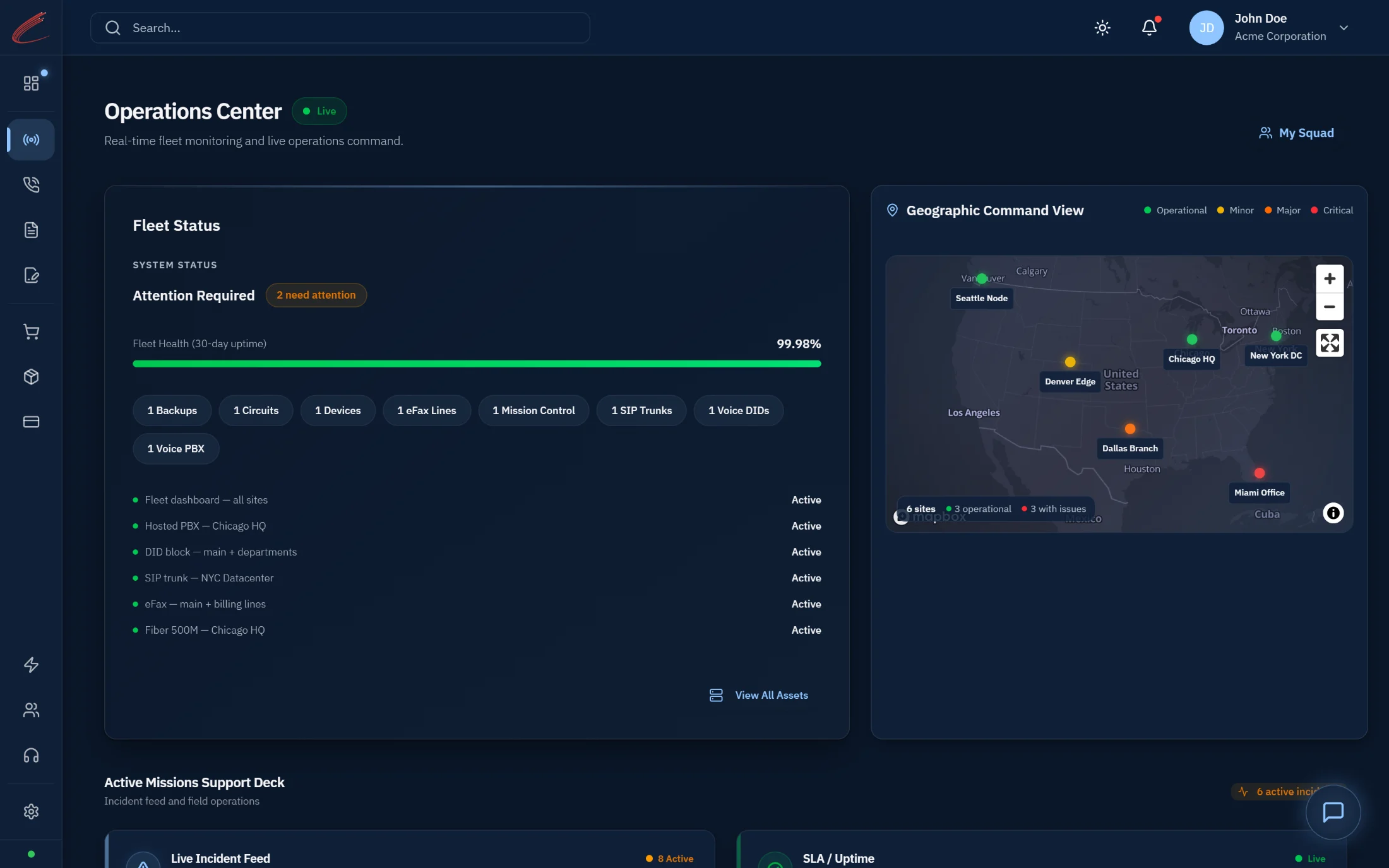
Every customer location, every active dispatch, every outage, visible at a glance on a single Geo-Map.
Four zones (Connectivity · Voice · Infrastructure · Managed Services) cataloging every installed asset, with live status and one-click actions like “Report Issue,” “Reboot Device,” or “Manage Extensions.”
When a technician is en route, you watch them approach on the map. With site contact info, special instructions (“Use freight elevator”), and ETAs.
NikolAI™ watches the fleet 24/7. When a circuit goes down, he opens the ticket before you notice, and tells you the dispatch is already rolling.
Most carrier bills are a wall of line items and a customer service number. Billing in Mission Control is the opposite, a financial transparency layer that explains every charge, contextualizes every change from last month, and credits you automatically when we miss an SLA. If your bill went up, NikolAI™ tells you exactly why, “Your bill is $450 higher this month. This reflects the 3 new Secure Workspace seats added on Oct 12 and the pro-rated hardware for the Miami office.” If we had an outage, the credit is already applied. If you see a charge you don’t recognize, you flag the line item with one click, no phone call, no hold music.
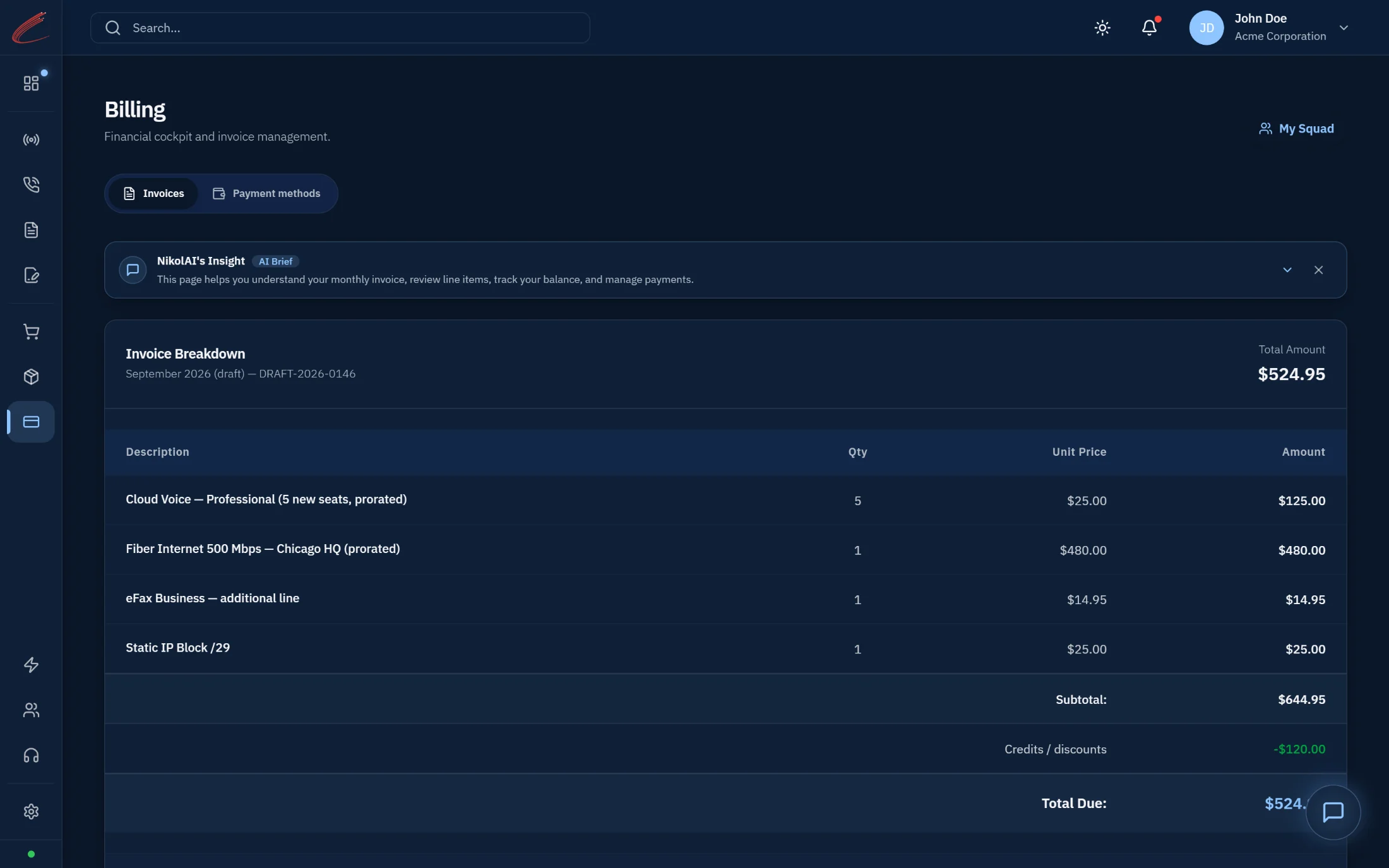
Every bill opens with a plain-English summary explaining variance. Stable months get a reassuring “no action needed.” Changed months get the why, before you have to dig.
Every SLA breach is credited to your next invoice automatically, we penalize ourselves before you ask. The credit shows up as a badge in the bill header.
A “Flag” button next to every line item. Click it, pick a reason, and that specific charge is paused while we investigate, the rest of your bill still processes normally.
NikolAI™ is the comptroller in the room. He explains, he flags variance, he applies credits automatically. The bill is no longer a fight, it’s a conversation that already answered itself.
Most carrier support feels like dropping a message into a void. You open a ticket. You get a confirmation email. Then silence, until something either resolves or escalates, and you have no idea which steps were tried, which engineer is looking, or how close you are to a fix. Helpdesk replaces all of that with full transparency. Every ticket you’ve opened, every troubleshooting step we’ve taken, every diagnostic we’ve run, every note our engineers have added, all of it is visible in real time. And NikolAI™ sits at both ends of the workflow: triaging incoming issues to surface likely solutions before they escalate, and summarizing the entire ticket history for the support agent before they pick up the phone.
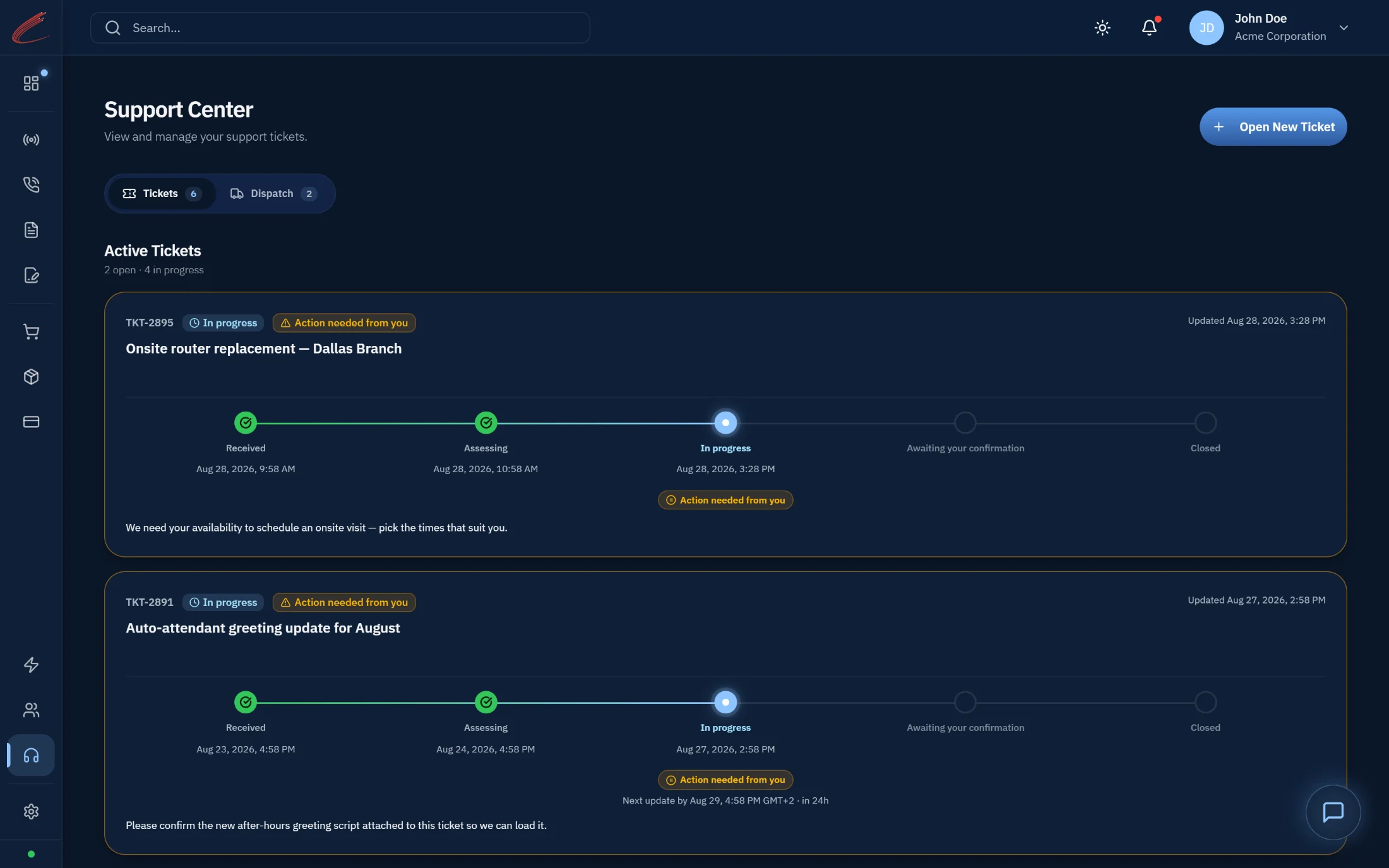
Every action on your ticket is logged in real time, diagnostics run, engineers consulted, dispatches scheduled, root cause identified. You see the full work log the same way our internal team does.
When you open a ticket, NikolAI™ analyzes the symptoms against the live state of your network and your historical issue patterns. He surfaces likely causes and self-serve fixes before the ticket ever reaches an engineer, and routes it to the right specialist when it does.
When a CyberNet engineer picks up your ticket, NikolAI™ has already summarized your account, your installed services, recent changes, and the full history of related tickets. The engineer walks in with context. You never have to repeat yourself.
NikolAI™ is the triage in your corner. He surfaces what’s likely wrong, suggests what to try first, and briefs the agent before they take the call. Support stops feeling like a black box.
NikolAI™ isn’t a Mission Control feature. He’s CyberNet’s AI, present from the first moment you arrive on this website, through every conversation you have with us, and across every day you’re a customer. The NikolAI™ who designs your network is the NikolAI™ who watches it after it’s live. Continuity isn’t a marketing claim. It’s how he was built.
Available in the chat widget on every page. Answers questions about CyberNet, walks visitors through products, suggests the right starting point for their conversation.
Walks new customers through the architecture, bandwidth, voice, infrastructure, compliance. Pre-loads recommendations. Explains technical decisions in plain English.
Watches all three build lanes and surfaces blockers as they happen, “Voice porting is now confirmed for Oct 24. Fiber construction is still awaiting permits in Chicago.”
Pre-loads recommendations based on your site profile and live network usage. Welcomes new customers. Surfaces upgrades for existing ones.
Monitors every installed asset 24/7. Opens tickets before you call. Explains every bill. Applies SLA credits automatically. Knows your fleet better than you do.
Analyzes incoming issues against your live network state and historical patterns. Surfaces likely fixes before escalation. Briefs the agent with full ticket context before they pick up the call.
One AI. Six contextual roles. Always in the room, before, during, and after you sign.
For thirty years, the telecom industry has handed customers the same broken experience: a ticket number, a hold line, and a black hole until something either goes live or goes down. Mission Control exists because we believe the customer relationship is the product, not the backbone, not the SLA, not the bill. The connectivity you sit on is a commodity. The way you experience us is not.
Every workspace in this platform exists to answer one question that other carriers can’t: “What’s happening with my CyberNet, right now, and what does it mean?” If you’ve ever waited two weeks for a status update, decoded an invoice with a magnifying glass, called four numbers to find the right engineer, or watched an “in progress” bar refuse to move, you already know why Mission Control exists.
Mission Control isn’t a paid tier, an upsell, or a separate license. Every CyberNet customer, Enterprise, Public Sector, Wholesale, gets the full platform from day one.
The same workspaces. The same NikolAI™. The same Squad sidebar. No premium plan to unlock features. No “Enterprise Edition” tax. The platform is the platform.
Already a customer? Log in to Mission Control →
Mission Control is the operations platform every CyberNet customer lives inside from day one. There’s no upgrade, no paywall, no add-on. Design your technology with NikolAI™ and the platform is yours. Or schedule a live walkthrough with a CyberNet engineer and see it in action before you commit a single decision.
Mission Control is the operations platform every CyberNet customer lives inside, built around five workspaces rather than a ticket queue.
Orders, which shows build progress from survey to splice to live; Marketplace; Ops Center, a live view of network state; Billing; and Helpdesk.
Every CyberNet customer.
CyberNet is an engineering-led, licensed CLEC since 1995 that owns its network, with 150,000+ on-net buildings. You work directly with the engineers who design and run your service, with no level-1 layer between you and the person who can fix the problem.
A 99.999% core-uptime SLA, contractually penalized when missed.
Within one business day.